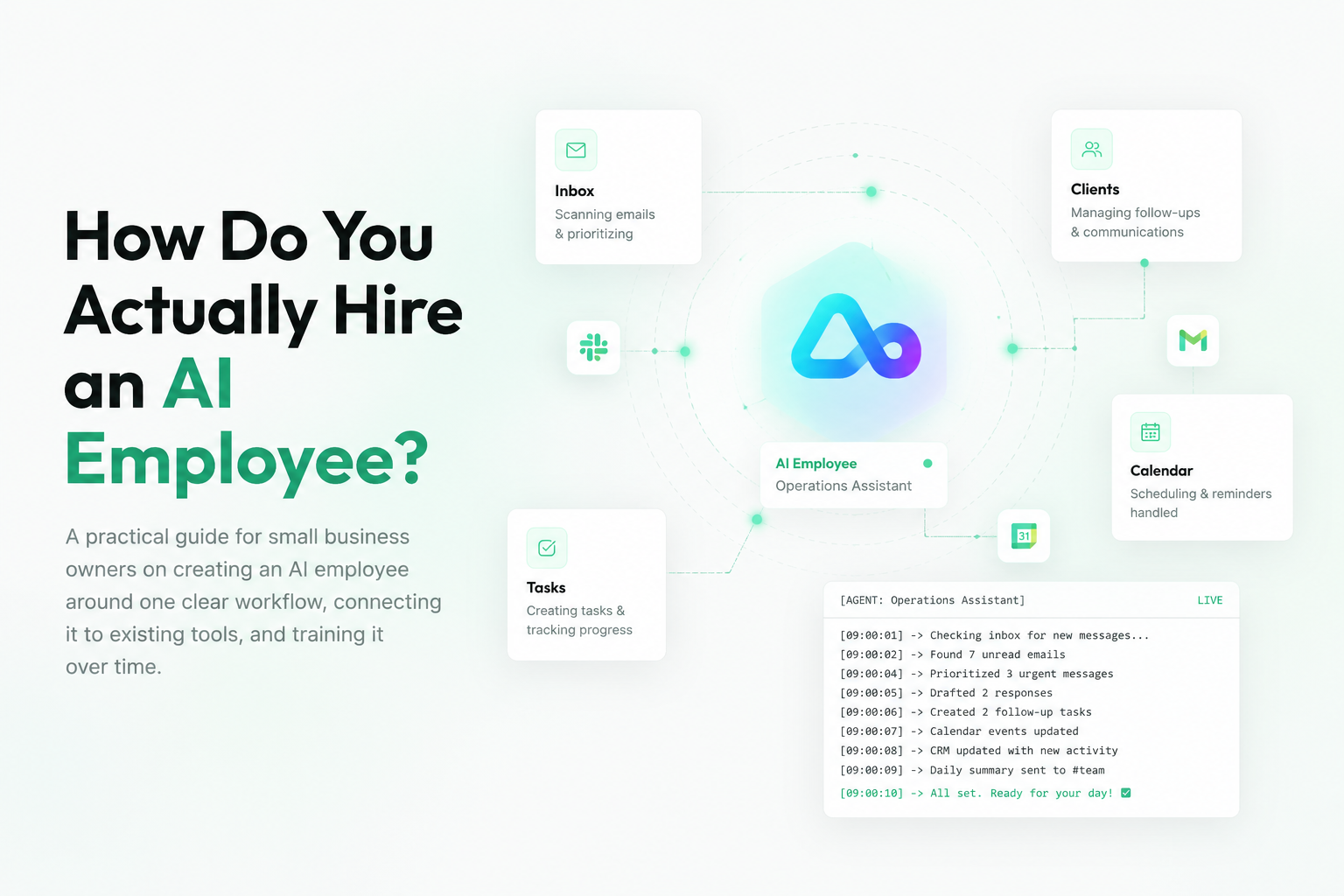
How Do You Actually Hire an AI Employee?
A practical guide for small business owners on creating an AI employee around one clear workflow, connecting it to existing tools, and training it over time.
Your next employee might be AI.
I think that direction is right. But if you are a small or medium-sized business owner, the obvious question is not really whether AI is coming.
The better question is:
How do you actually hire one?
Does it apply to your job listing? Does it send you a CV? Does it show up in Slack one day and say, “Hey, I am your new operations assistant”?
Of course, that is not really how it works.
The way I see it, you do not hire an AI employee in the same way you hire a person. You create one. You set it up. And then you train it around the way your business already works.
That is the important part.
An AI Employee Is Not Just ChatGPT
For most small businesses, the useful version of this is not some massive enterprise AI system.
You probably do not need an internal AI department. You do not need a complicated dashboard with ten different teams managing it. You need something that helps with the work your team is already doing every day.
Emails. Lead follow-up. Admin. Scheduling. Invoices. Client updates. CRM updates. Internal summaries.
That kind of work.
So essentially, an AI employee is not just ChatGPT where you ask a question and it gives you an answer. It is more like a digital worker that has a role, has instructions, has access to tools, and can take action inside your existing workflow.
That last part matters.
If your team already works in Slack, the AI employee should not force everyone into a completely separate dashboard every time they need help. Ideally, you should be able to speak to it where the work already happens.
For example, you might ask it:
- Summarize the important client messages from today.
- Create a follow-up task for this lead.
- Draft a reply to this email.
- Check if we have any unanswered customer requests.
Then the agent does the work in the background.
That is where this becomes useful. Not AI as a vague concept. AI as a worker inside a specific workflow.
Start With One Role, Not the Whole Business
The mistake I see people make is they start too broad.
They say, “Let’s create an AI employee that runs the whole company.”
That sounds exciting, but it is also where people get disappointed. The job is too unclear. The boundaries are too loose. Nobody really knows what success looks like.
I would start with one role. One workflow. One painful part of the business.
For example, an AI inbox assistant.
Every morning at 9 a.m., it checks your inbox. It looks for important emails. It summarizes what needs your attention. It drafts replies where possible. It flags anything sensitive. And it creates tasks for the team.
So instead of starting your day by drowning in email, you start with a short summary:
“These are the five things that matter today.”
That is already valuable.
Another example could be an AI sales assistant.
It watches for new leads. It checks where they came from. It drafts a follow-up. It updates the CRM. It reminds you if someone has not been contacted. And if your team works in Slack, it can post a message saying:
“New lead came in. Looks like a good fit. I drafted a reply and added them to the CRM.”
That is practical. That is where the value is.
Give It Tools and Boundaries
An AI employee becomes useful when it can work inside the systems your company already runs on.
That could be Slack, email, calendar, CRM, documents, project management tools, or whatever else your team uses every day.
But access alone is not enough.
You also need boundaries.
The same way you would not hire a new employee and immediately give them full control over the business, you should not do that with an AI agent either.
You give it a clear role. You give it rules. You review the work. You improve the instructions. And then, over time, you expand what it can do.
Maybe at first it only drafts replies.
Later, once you trust it, maybe it sends simple replies.
Maybe at first it only summarizes Slack.
Later, maybe it creates tasks.
Maybe at first it only updates your CRM.
Later, maybe it also follows up with leads.
That is how you build trust.
For example, you might give it a rule like:
“If the client is only asking for the meeting link, you can reply without asking me.”
But:
“If the client is asking about pricing, refunds, legal issues, or complaints, ask me first.”
That is the difference between useful automation and reckless automation.
You Are Training a Worker
A normal automation is usually fixed.
If this happens, then do that.
That can be useful, but it is also limited. An AI agent is different because it can improve based on context, feedback, and repeated work.
If the agent drafts an email and you correct it, that correction should become part of how it works next time.
If it summarizes a client request badly, you can tell it what it missed.
If it keeps asking for approval on something simple, you can eventually give it a rule.
So the way to think about this is not: “I am building an automation.”
The better way to think about it is: “I am training a worker.”
And for small businesses, that is a useful mindset.
Because most small businesses do not have perfectly documented processes. A lot of the business lives in people’s heads.
The owner knows how to respond to clients. The assistant knows where invoices go. The sales person knows which leads are worth following up with. The operations person knows what needs to happen after a client signs.
But often, none of that is written down clearly.
AI agents force you to make that knowledge visible. And once it is visible, you can start delegating parts of it.
Where To Look First
If you want to find a good first AI employee, do not start with the technology.
Start with the work.
Ask:
- Where is work repeating?
- Where is your team losing time?
- Where are things being copied from one place to another?
- Where are clients waiting because nobody had time to reply?
- Where is the owner still the bottleneck?
Those are the places to look first.
Because if you can take one of those workflows and give 30, 40, or 50 percent of it to an AI agent, that already changes the business.
It gives your team time back. It makes the business more responsive. It reduces admin. And it lets humans focus more on judgment, relationships, sales, service, and strategy.
That is the real value.
Not AI for the sake of AI.
Practical AI employees that fit into how your business already works.
How To Start
If I were setting this up for a small or medium-sized business, I would keep the first version simple.
Choose one job.
For example:
“Every morning at 9 a.m., check my inbox, summarize important emails, draft replies, and ask me before sending anything.”
Or:
“Every day at 4 p.m., check Slack and summarize open client issues.”
Or:
“When a new lead comes in, research the company, draft a follow-up, and create a CRM entry.”
Then connect the tools it needs. Write the rules. Give it examples. Review the output. Improve the instructions.
Over time, once the AI proves it can handle the work, you give it more responsibility.
That is how small businesses should approach AI employees.
Not with hype. Not with fear. Practically.
Final Thought
If your next employee might be AI, the real question is not whether it will magically appear.
It will not.
You create it. You give it a job. You connect it to your tools. You let it work inside the systems your team already uses. And you train it over time.
So the best first question is simple:
What job are you going to give it first?
If you want help figuring out what this could look like inside your business, Autivia can help map the bottlenecks, identify the repetitive work, and set up AI agents that actually reduce workload instead of adding another tool your team has to manage.
Feasibility Consultation
Want to turn this kind of workflow into an Autivian?
Bring the messy version of the process. We will map what can be automated, what needs approval, and what should stay human.
Schedule a Feasibility Consultation